

Welcome to Plannie
Les articles d’aide sont pour l’instant disponibles uniquement en anglais.
Plannie is your family's shared hub: one place for the calendar, shopping lists, habits and chores, rewards, and the week's meals. It is designed tablet-first (many families keep it open on a mounted iPad in the kitchen) and works just as well on phones and in the browser.
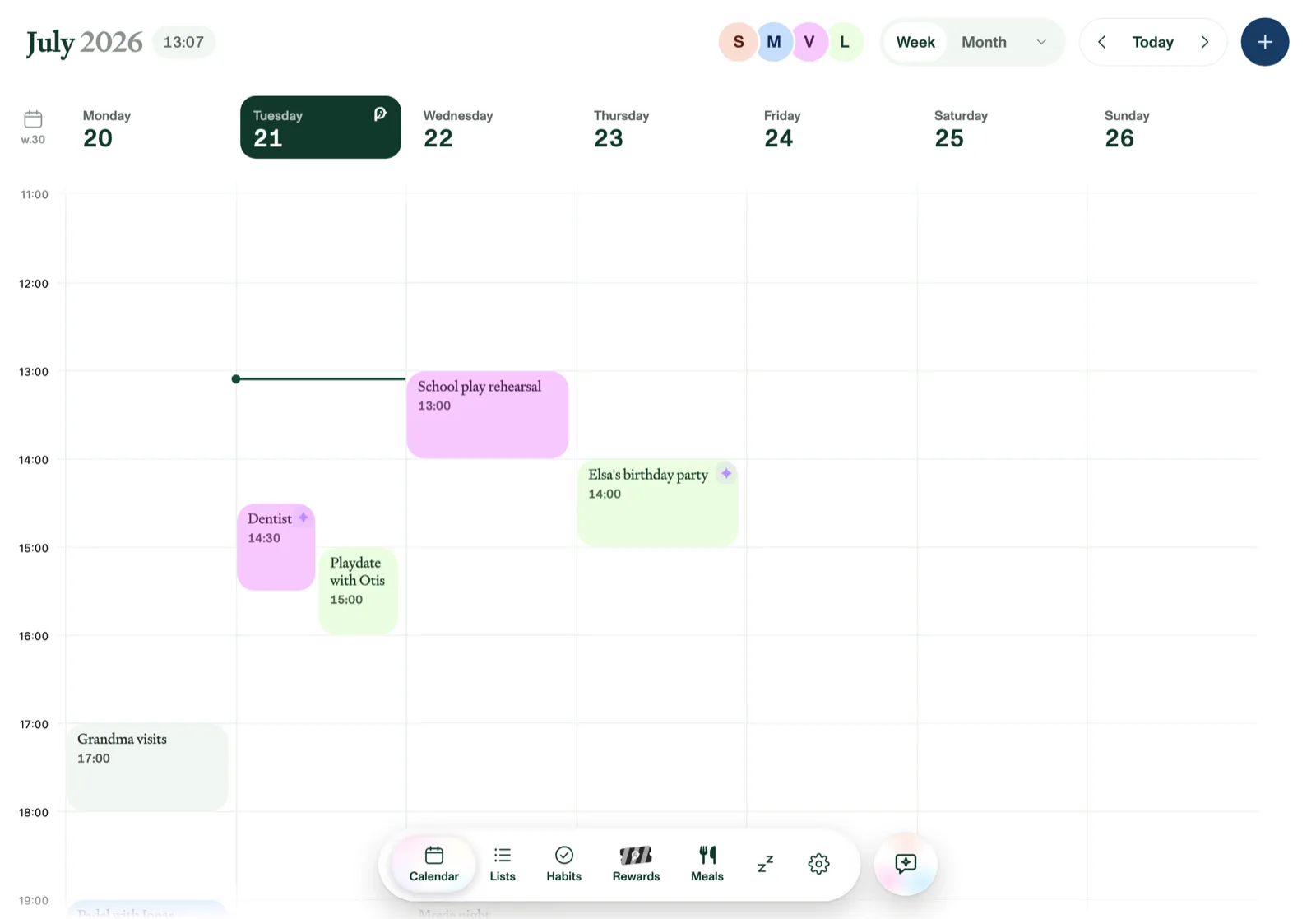
The tabs
- Calendar: the family week at a glance, color-coded per person.
- Lists: shopping lists, to-dos, packing lists, and anything else.
- Habits: recurring routines and chores for each family member.
- Rewards: tickets earned from habits, redeemable for treats you define.
- Meals: the weekly meal planner and your recipe collection.
- Files: a home for your family's files and folders. Upload documents and photos, sort them into folders, and open or share them from any device. See Using Files.
- Settings: family members, calendars, reminders, and your subscription. On a tablet or in the browser, Settings sits under More at the end of the bottom bar, next to Screensaver, What's new and Help & Feedback. On a phone, Settings is under More too, along with What's new and Help & Feedback.
The sparkle button in the corner opens Plannie Assistant, an AI helper that can add events, tasks, list items, and meals for you. Just ask in plain language.
What's new in Plannie
To see what's new in Plannie, tap More in the bottom bar and pick What's new. This works the same on a tablet, a phone or in the browser. A small red dot next to What's new means something has shipped since you last looked. Tap it to see the latest updates, each with a short summary and a Read more link that opens the full post on our blog at plannie.io. Opening the list clears the dot until the next update arrives.
Free, Premium, and your trial
Every new household starts with a free trial of Plannie Premium, so everything is unlocked from day one. The Calendar and Lists stay free forever; Habits, Rewards, Meals, Plannie Assistant, Magic Import, and the Family Inbox are part of Plannie Premium. You can see plans and manage billing under Settings → Subscription & Billing. If you subscribed in the browser, you can switch plans right there: tap the plan you want and confirm. Moving up to a bigger plan, or between the weekly and annual options, applies straight away, with the difference for the rest of your period prorated and charged that day. Moving down to a smaller plan takes effect at the end of the period you've already paid for, and nothing changes until then. During your free trial nothing has been bought yet, so Settings → Subscription & Billing keeps Plannie Free marked as your current plan, with a “Trial ends” line and the date. Picking Plannie Premium or Premium + MCP there is a normal purchase rather than a plan switch, so it takes you to checkout, the discount-code field stays available until you subscribe, and Manage billing and Cancel subscription appear only once there is a subscription behind them. The iPhone, iPad, and Android apps don't sell subscriptions at the moment, so plans are started and changed at plannie.io in the browser, and the app picks the change up on its own. However you buy, the plan belongs to your household and applies on every device. If you subscribe in the browser, the checkout page has an Add promotion code field, so you can apply a promo code at checkout. When your plan starts with free time before the first payment, the checkout page spells that out before you enter any card details: how long the free period runs, $0.00 due today, and the date of your first payment, which is the date you'll be billed on. Once your payment goes through, you'll land back in the app on your calendar, with a confirmation that your subscription has started, and your new plan is shown under Settings → Subscription & Billing. If a purchase doesn't complete, Plannie says so instead of leaving the screen unchanged: a payment that fails, or a store that isn't offering purchases at that moment, brings up a “That didn't go through” note confirming you haven't been charged, so you can try again. Backing out of the payment sheet yourself passes without a message, because nothing went wrong.
Setting up in the browser takes 20% off your first payment: the plan step shows Plannie Premium and Premium + MCP with the regular price struck through, on the weekly and the annual option alike. There is nothing extra to pick, and it applies only while you set up — Settings → Subscription & Billing and our pricing page always show the regular price. A promotion code you enter yourself, or a referral link you arrived on, replaces the 20% rather than adding to it. Pick a plan before 15 November and you won't be charged until then, and the plan you choose says so as you pick it. If you do buy a plan while setting up in the browser, Plannie then shows you what's unlocked and the date your plan begins; we send a reminder a week before that, and you can cancel any time until then.
If you cancel
Cancelling doesn't cut your plan short. Plannie Premium stays on until the end of the period you've already paid for, and your household moves to Plannie Free only then. Until that day, Settings → Subscription & Billing says so plainly: your current plan carries a Won't renew tag, the plan row shows “Won't renew — ends” with the date, and the Renewal line reads “Plan ends” with that date followed by “won't renew”, instead of “Renews on” with the next billing date. If you cancelled from the App Store or Google Play rather than in Plannie, switch back to the app and it catches up within a few seconds. You don't need to restart it.
Refunds
Cancelling stops the next renewal. It isn't the same as asking for money back on a payment that has already gone through. Subscriptions bought in the browser are sold and billed by our merchant of record, Paddle, so refunds for those go through them: reply to your Paddle receipt email, use Paddle's buyer support at paddle.net, or write to us and we'll take it from there. Purchases made through the App Store or Google Play are refunded by Apple and Google under their own policies. Our Refund Policy has the full details, including your statutory right of withdrawal in the EU/EEA.
In the apps: everything is unlocked while we launch
Open Plannie in the iPhone, iPad, or Android app and your household gets every feature free while we launch. Habits, Rewards, Meals, Plannie Assistant, Magic Import, and the Family Inbox are all open, with none of the free-plan limits. There's no plan to choose and nothing to buy in the app: no card is on file, nothing renews, and Settings → Account simply shows Your access — Full access, with the date that free access runs to.
That free full access ends at the end of 15 November, and your household moves to Plannie Free automatically. The Calendar, Lists, and reminders keep working exactly as before; the features listed above become part of Plannie Premium again. A one-time note in the app explains the change when it happens, and you are never charged without saying yes.
When that free access ends, plans are bought in the browser: subscribe at plannie.io at any time and it applies on every device, the apps included — they pick your household's plan up automatically.
If the connection drops
Plannie keeps every device in step through the cloud, but the everyday edits keep working without a connection: adding, changing or deleting events (and answering an invite); creating, renaming, moving or deleting lists and their sections; adding, editing, checking off or removing list items; and setting up, editing, deleting or checking off habits. The change shows straight away, Plannie holds on to it even if you close the app, and saves it as soon as you're back online; the all-done celebration for habits waits until then. Other changes still need a connection: if the Wi-Fi drops while you're, say, redeeming a reward, Plannie says so (“You're offline — we couldn't save that. Reconnect and try again.”) and leaves what you had typed on screen, so reconnecting and saving again is all it takes. Signing in needs a connection too, and Plannie will tell you if it can't reach the server.
Once you're back online, an offline change can occasionally be turned down, for example because someone else deleted that list in the meantime. Plannie then shows “2 changes couldn't be saved” with a Details button listing each one (“An event · added · 5 min ago”), and puts things back the way they are on your family's other devices. Discard all clears the notice.
Whenever Plannie can't reach the server at all (no signal, no Wi-Fi, or a hiccup on our side), a small yellow warning triangle appears at the top right of the screen and stays until the connection is back. Tap it for a short note: “You're offline. Changes you make are saved on this device and sync as soon as you're back online.” It doesn't block anything: you can keep reading and scrolling what's already loaded while Plannie retries in the background, and once it reconnects the triangle goes away and the app refreshes itself. If what's on screen is more than 10 minutes old, the note also tells you how old it is (“Showing saved data from 2 hours ago”). Losing the connection never signs you out. You stay signed in and pick up where you were. The same goes for opening Plannie while you are offline: if you have signed in on that device before, it opens straight into your household and shows your calendar, lists, habits, meals and rewards as they were the last time it was online (from up to a week ago), then catches up as soon as the connection is back. The calendar also keeps the months either side of the current one, so you can page back or forward a month while offline. That saved copy stays on the device only while you are signed in; signing out wipes it, so the next person to sign in on a shared device never sees your family's data.
A few things only work online: Plannie Assistant (including voice), Magic Import, Google Photos, uploading photos to recipes and lists, attaching files to events, connecting or syncing calendars, inviting family members, and managing your plan. While you're offline they're dimmed, and tapping one shows a short “Needs a connection” note instead of spinning. The What's new row under More stays in place but behaves the same way, and the weather is hidden until you're back online.