

An extra pair of hands, on your terms.
Plannie's AI family assistant turns the everyday paperwork of running a household (a school email, a schedule PDF, a photo of a flyer) into calendar events, tasks and lists. It works only from what the household explicitly forwards it, and every action is visible and undoable.
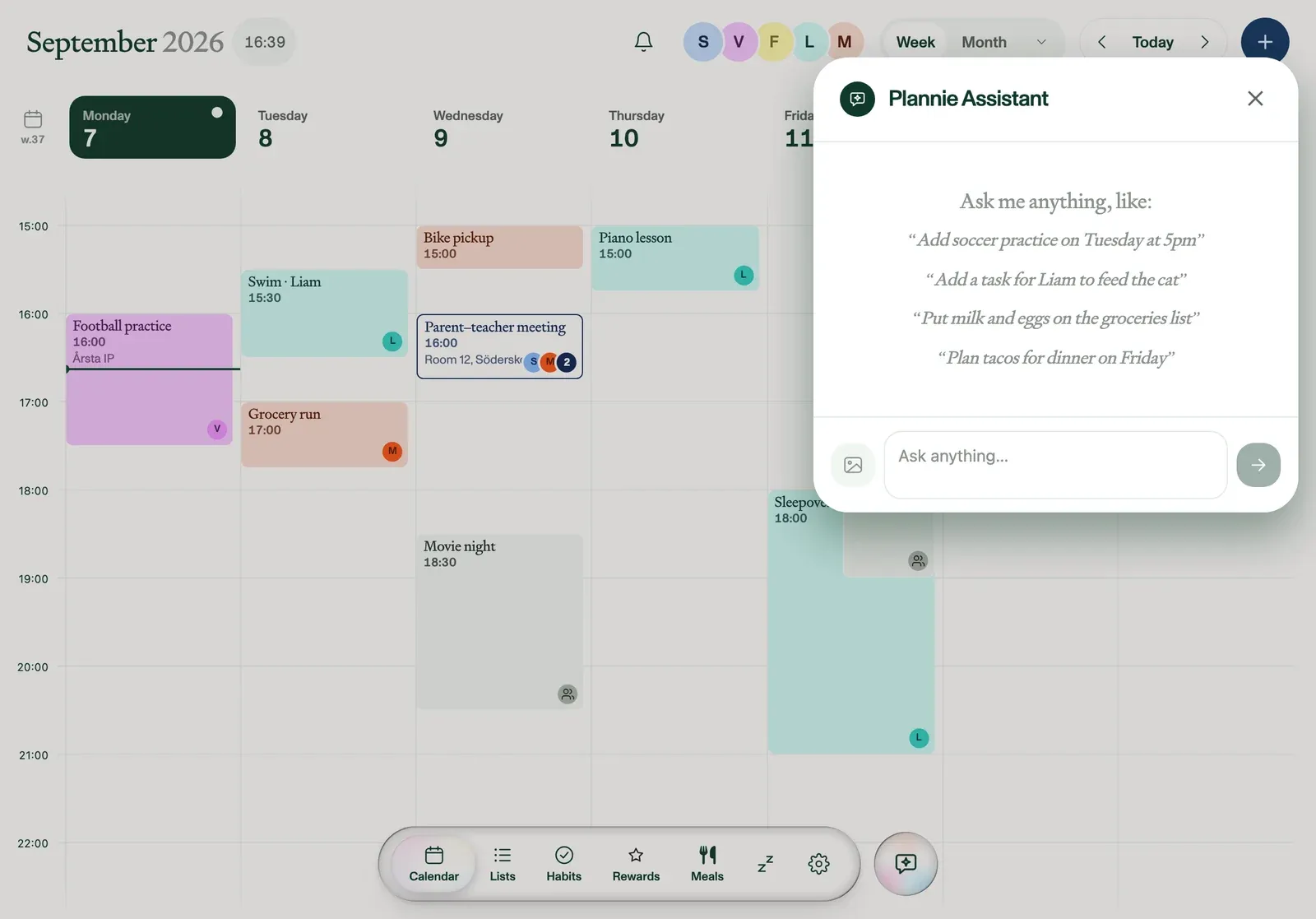
What you can hand it
- A forwarded email, PDF or photo, sent to the household's private Plannie address
- A direct chat question, like "is everyone free Saturday?"
- A recipe link, which becomes a planned meal
What it can create
- Calendar events, filed under the right person and time
- Tasks and list items
- Planned meals with a linked grocery list
- Clash detection and re-planning suggestions
Scoped, attributed and reversible
The Assistant only acts on what it's explicitly given: the family inbox and chat, nothing standing or ambient. Every item it creates carries a sparkle badge and a named entry in the household's activity feed, so any member can see exactly what changed and undo it. When something is ambiguous, it's left for a person to confirm instead of being guessed at silently. The Assistant doesn't make purchases or send messages on the family's behalf.
That family inbox is the same one behind email to calendar. See exactly how a forwarded email becomes an event.
What this looks like day to day
"Forest day added from a school email. Assigned to Vera, backpack note and all."
"Spotted in the family inbox: bike pickup added to Wednesday."
"What's for dinner this week?" → five dinners planned around the calendar, groceries on the list.
Bring your own agent
Beyond the built-in Assistant, connect any agent to Plannie over MCP or the open REST API with a scoped key created in Settings → Integrations, revocable at any time, and the same attribution model applied to every action.
Frequently asked
How does Plannie turn an email, PDF or photo into a calendar event?+
Every household gets its own private email address (Settings → General → Family email). Forward an invite, a schedule PDF or a photo of a flyer, and the Plannie Assistant reads it and files it as an event, task or list item under the right person and time.
How does Plannie protect family data and control assistant permissions?+
The Assistant only ever sees what's forwarded to the family inbox or asked directly in chat. It has no standing access to a parent's personal email. Every connected calendar and any agent API key can be revoked at any time from Settings, and every action it takes is attributed by name in the household's activity feed.
What happens when the Assistant can't figure something out?+
It leaves the ambiguous part for a person rather than guessing. An unclear date or an unnamed assignee stays unfiled until someone in the household confirms it, instead of landing on the calendar wrong.
Can developers or AI agents connect to Plannie, and with which scopes?+
Yes. The open REST API and hosted MCP server let a household member create a scoped API key (calendar-only, lists-only, whatever's needed) under Settings → Integrations. See the developer docs for the full scope list.